
THE STORY. THE STUDIO. THE RESULT.
How AI Zombie Video Works
From two portraits to a fictional encounter and a warmer memory. Here is what you choose, what the current workflow delivers, and how to find your result.
- Inputs
- Two separate adult portraits
- Video
- 15 seconds · 480p
- Sound & framing
- Audio per generation settings · 9:16 or 16:9
- Task charge
- 100 project credits
A PRESENT. A PAST.
Recognition changes the story.
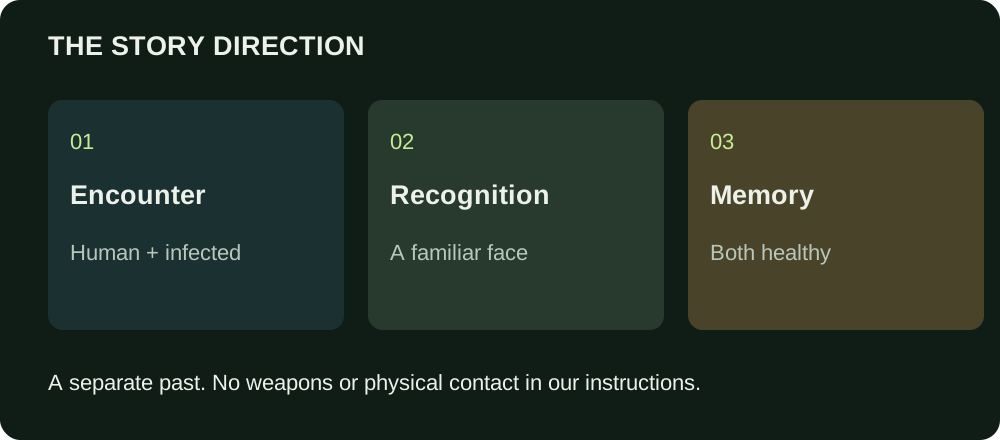
The intended story starts with one human and one infected character. Recognition changes the emotional tone; a separate, warmer memory shows both people healthy. The memory is the past, not a cure happening in the present.
Our current instructions ask for empty hands, no weapons and no physical contact, biting or impact.
Use the studio’s encounter and memory settings to guide the atmosphere. Scenery, expressions, facial details, movement and the exact cut can vary. We do not promise a frame-perfect transition or unchanged likeness.
One story. Different memories.
A winter memory
A cold interior contrasts with a shared memory in the snow.
The warmth before the outbreak
A dark encounter shifts into a sunlit field and a distant sunset.
An open-field flashback
An indoor confrontation cuts to movement through an open landscape.
Your choices stay simple.
01 / Choose the characters
Add two separate adult portraits. The first role is the zombie and the second is the human. Check the labels or swap the roles before you submit.
Prepare your photos02 / Set the atmosphere
Choose one available encounter setting and one memory setting, then portrait or landscape framing. The story instructions are supplied; you do not write a prompt.
See available settings03 / Confirm and follow
Read the photo-access notice and permissions, review the total charge and confirm. After submission, track your existing task instead of creating another one.
Read the walkthroughLeave the tab. Keep your creation.
After your submission is confirmed, processing runs in the background. Return to My creations to check the task and play or download its delivered video. Opening or refreshing a result does not submit a new generation.
When service email notifications are enabled, we notify your account when the creation is ready or a failure refund is processed. Check the website even if a message is delayed or missing. Email delivery is separate from video availability.
Audio is delivered according to the generation settings shown in the studio. Internal character images are part of making the clip, not an additional image purchase. Clip duration describes the delivered video, not how long you will wait.
Check delivery, failures and credit recordsBefore uploading
- One adult per file, with a clear face and permission for this use.
- Still JPG, PNG or WebP, up to 2 MiB and 20 megapixels each.
- Local previews stay in your browser until you submit. Processed photos and delivered media may use public links; anyone holding a link may view them.
- AI can change faces, anatomy and motion. Inspect the full result before sharing.